The ActivitySmith PHP SDK provides convenient access to the ActivitySmith API from PHP applications.
See API reference.
composer require activitysmith/activitysmith<?php
declare(strict_types=1);
use ActivitySmith\ActivitySmith;
use ActivitySmith\LiveActivityAction;
use ActivitySmith\LiveActivityContentState;
use ActivitySmith\LiveActivityMetric;
use ActivitySmith\PushAction;
$activitysmith = new ActivitySmith($_ENV['ACTIVITYSMITH_API_KEY']);
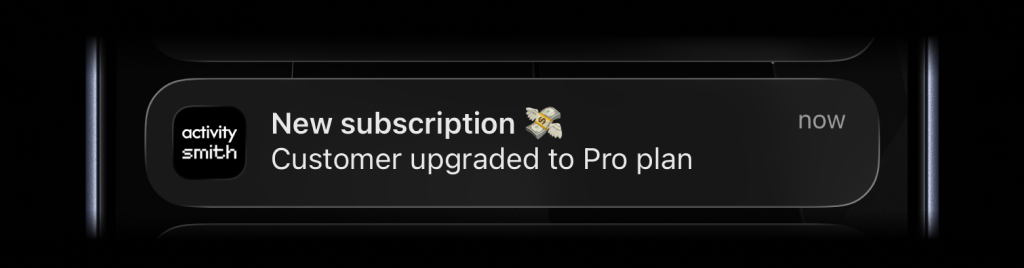
$activitysmith->notifications->send(
    title: 'New subscription 💸',
    message: 'Customer upgraded to Pro plan',
);
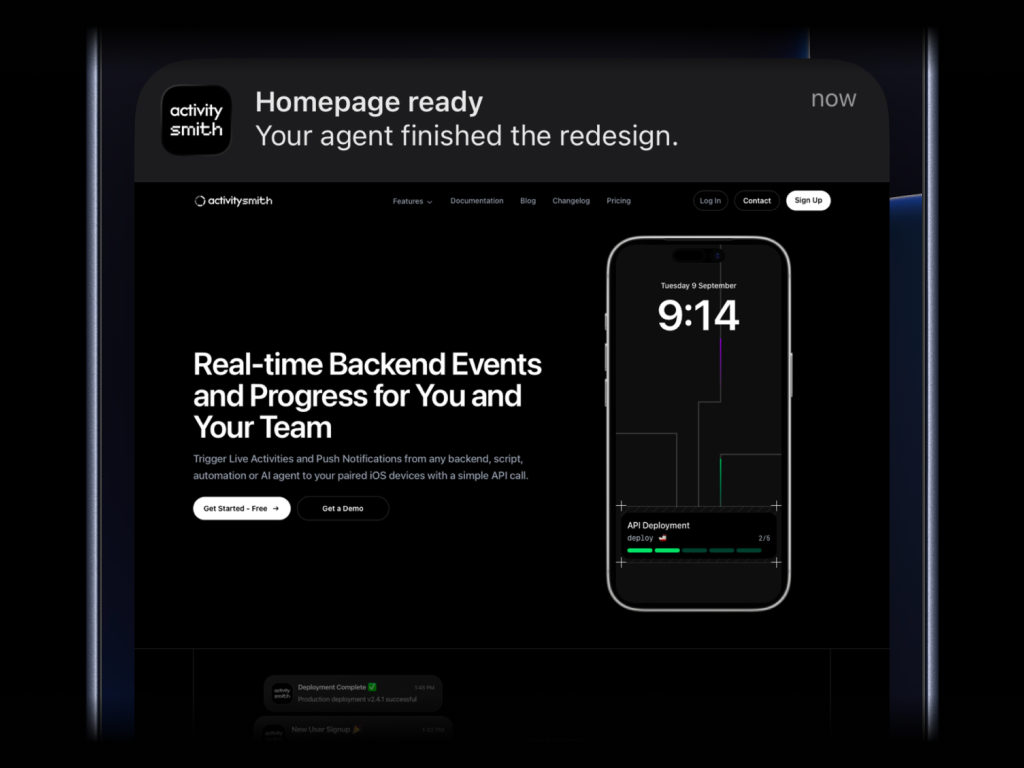
$activitysmith->notifications->send(
    title: 'Homepage ready',
    message: 'Your agent finished the redesign.',
    media: 'https://cdn.example.com/output/homepage-v2.png',
    redirection: 'https://github.com/acme/web/pull/482',
);
Send images, videos, or audio with your push notifications, press and hold to preview media directly from the notification, then tap through to open the linked content.
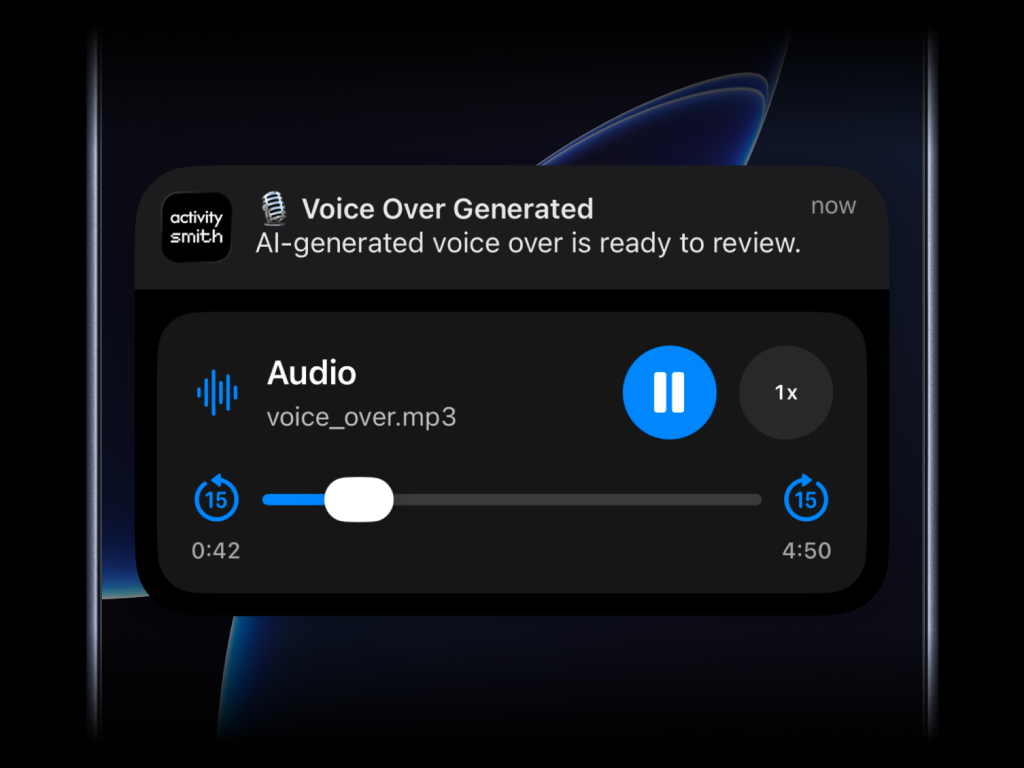
What will work:
- direct image URL:
.jpg,.png,.gif, etc. - direct audio file URL:
.mp3,.m4a, etc. - direct video file URL:
.mp4,.mov, etc. - URL that responds with a proper media
Content-Type, even if the path has no extension
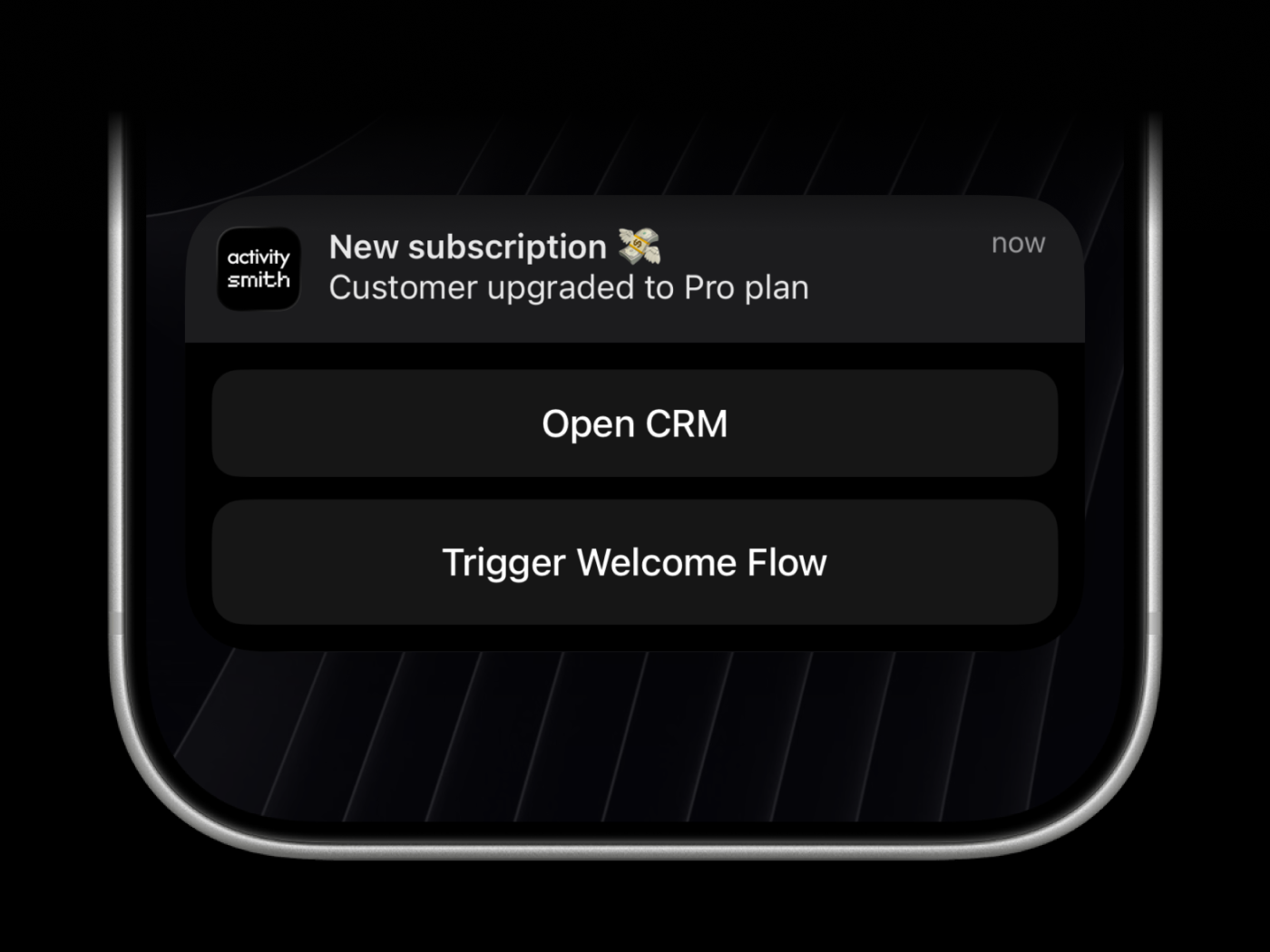
Actionable push notifications can open a URL on tap or trigger actions when someone long-presses the notification. Webhooks are executed by the ActivitySmith backend.
$activitysmith->notifications->send(
    title: 'New subscription 💸',
    message: 'Customer upgraded to Pro plan',
    redirection: 'https://crm.example.com/customers/cus_9f3a1d', // Optional
    actions: [ // Optional (max 4)
        PushAction::make(
            title: 'Open CRM Profile',
            type: 'open_url',
            url: 'https://crm.example.com/customers/cus_9f3a1d',
        ),
        PushAction::make(
            title: 'Start Onboarding Workflow',
            type: 'webhook',
            url: 'https://hooks.example.com/activitysmith/onboarding/start',
            method: 'POST',
            body: [
                'customer_id' => 'cus_9f3a1d',
                'plan' => 'pro',
            ],
        ),
    ],
);There are four types of Live Activities:
stats: best for showing business numbers side by side, such as revenue, sales, new users, conversion, refunds, or any other value you want visible at a glancemetrics: best for live percentage values that change often, like server CPU, memory usage, disk usage, or error ratesegmented_progress: best for anything that moves through clear stages, like deployments, onboarding flows, backups, ETL pipelines, migrations, and AI agent runsprogress: best for tracking real-time progress with percentage, like tasks, backups, migrations, syncs, or uploads
Use a stable streamKey to identify the metric, job, deployment, or system you want to keep visible. The first stream(...) call starts the Live Activity. Later calls with the same streamKey update it.
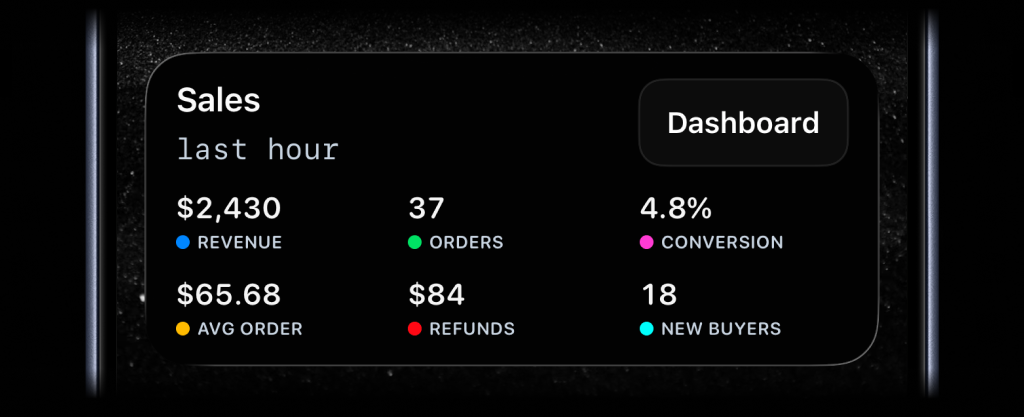
$activitysmith->liveActivities->stream(
    'sales-hourly',
    contentState: LiveActivityContentState::make(
        title: 'Sales',
        subtitle: 'last hour',
        type: 'stats',
        metrics: [
            LiveActivityMetric::make(label: 'Revenue', value: '$2430', color: 'blue'),
            LiveActivityMetric::make(label: 'Orders', value: '37', color: 'green'),
            LiveActivityMetric::make(label: 'Conversion', value: '4.8%', color: 'magenta'),
            LiveActivityMetric::make(label: 'Avg Order', value: '$65.68', color: 'yellow'),
            LiveActivityMetric::make(label: 'Refunds', value: '$84', color: 'red'),
            LiveActivityMetric::make(label: 'New Buyers', value: '18', color: 'cyan'),
        ],
    ),
);
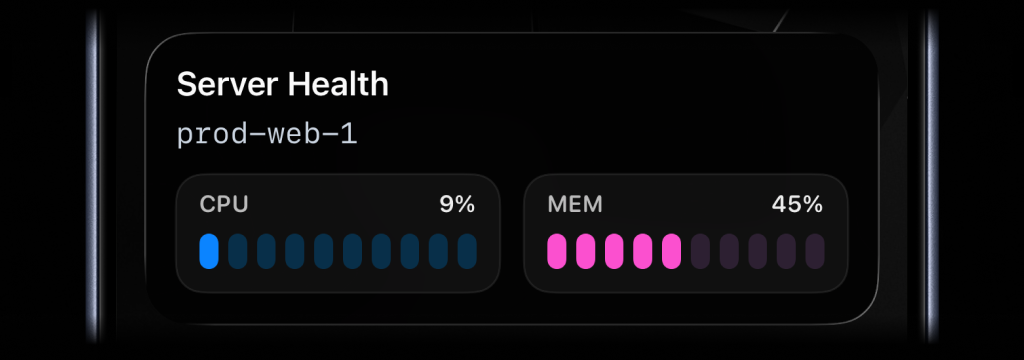
$activitysmith->liveActivities->stream(
    'prod-web-1',
    contentState: LiveActivityContentState::make(
        title: 'Server Health',
        subtitle: 'prod-web-1',
        type: 'metrics',
        metrics: [
            LiveActivityMetric::make(label: 'CPU', value: 9, unit: '%'),
            LiveActivityMetric::make(label: 'MEM', value: 45, unit: '%'),
        ],
    ),
);
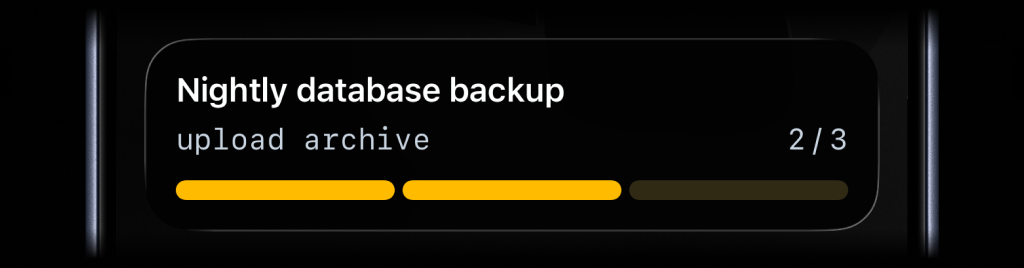
$activitysmith->liveActivities->stream(
    'nightly-backup',
    contentState: LiveActivityContentState::make(
        title: 'Nightly Backup',
        subtitle: 'upload archive',
        type: 'segmented_progress',
        numberOfSteps: 3,
        currentStep: 2,
    ),
);
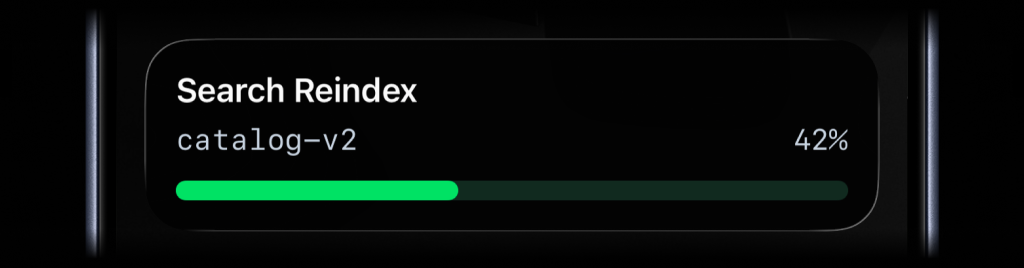
$activitysmith->liveActivities->stream(
    'search-reindex',
    contentState: LiveActivityContentState::make(
        title: 'Search Reindex',
        subtitle: 'catalog-v2',
        type: 'progress',
        percentage: 42,
    ),
);Call endStream(...) with the same streamKey to dismiss the Live Activity. You can include final values before it is removed. By default, iOS removes the Live Activity after two minutes. Set autoDismissMinutes to choose a different dismissal time, including 0 for immediate dismissal.
$activitysmith->liveActivities->endStream(
    'prod-web-1',
    contentState: LiveActivityContentState::make(
        title: 'Server Health',
        subtitle: 'prod-web-1',
        type: 'metrics',
        metrics: [
            LiveActivityMetric::make(label: 'CPU', value: 7, unit: '%'),
            LiveActivityMetric::make(label: 'MEM', value: 38, unit: '%'),
        ],
        autoDismissMinutes: 2,
    ),
);
Live Activities can include one optional action button. Use it to open a URL from the Live Activity or trigger a backend webhook.
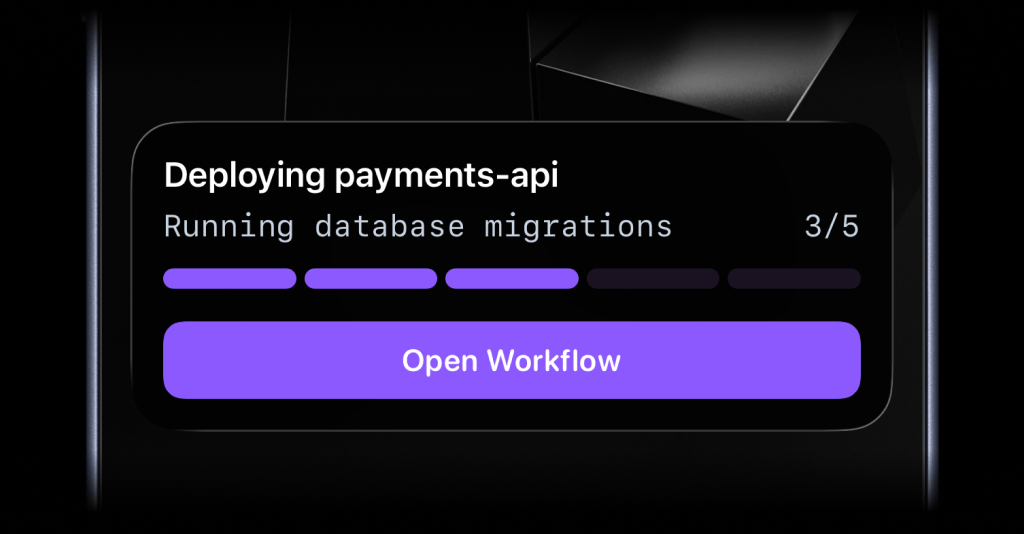
$activitysmith->liveActivities->stream(
    'prod-web-1',
    contentState: LiveActivityContentState::make(
        title: 'Server Health',
        subtitle: 'prod-web-1',
        type: 'metrics',
        metrics: [
            LiveActivityMetric::make(label: 'CPU', value: 76, unit: '%'),
            LiveActivityMetric::make(label: 'MEM', value: 52, unit: '%'),
        ],
    ),
    action: LiveActivityAction::make(
        title: 'Open Dashboard',
        type: 'open_url',
        url: 'https://ops.example.com/servers/prod-web-1',
    ),
);$activitysmith->liveActivities->stream(
'search-reindex',
contentState: LiveActivityContentState::make(
title: 'Reindexing product search',
subtitle: 'Shard 7 of 12',
type: 'segmented_progress',
numberOfSteps: 12,
currentStep: 7,
),
action: LiveActivityAction::make(
title: 'Pause Reindex',
type: 'webhook',
url: 'https://ops.example.com/hooks/search/reindex/pause',
method: 'POST',
body: [
'job_id' => 'reindex-2026-03-19',
'requested_by' => 'activitysmith-php',
],
),
);Channels are used to target specific team members or devices. Can be used for both push notifications and live activities.
$activitysmith->notifications->send(
    title: 'New subscription 💸',
    message: 'Customer upgraded to Pro plan',
    channels: ['sales', 'customer-success'], // Optional
);
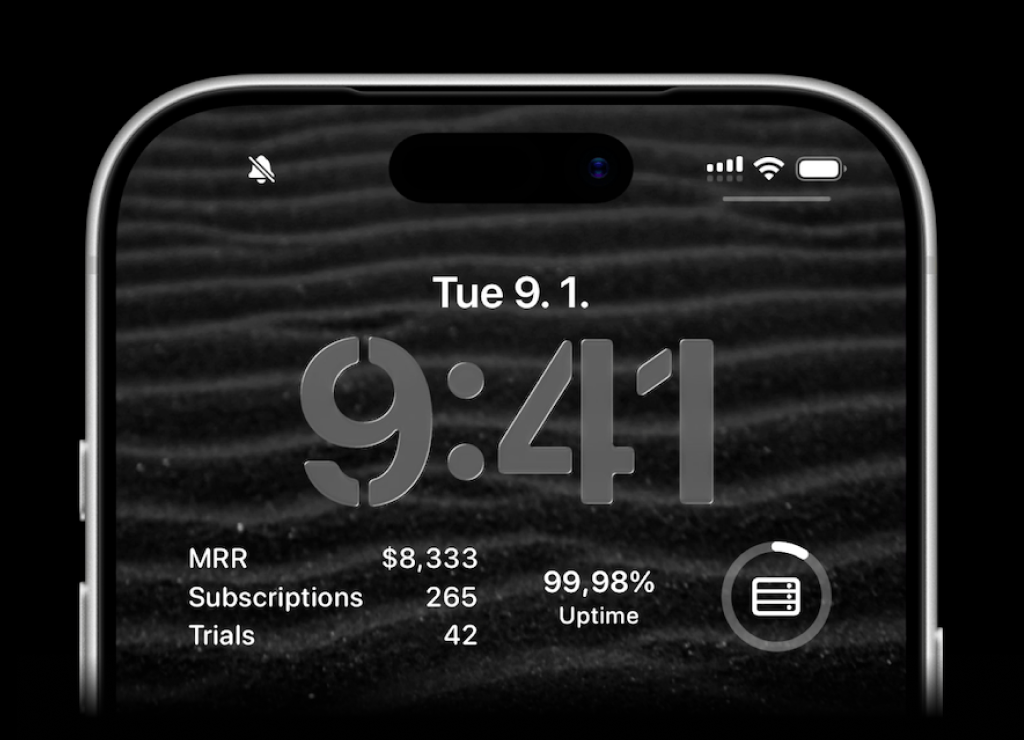
ActivitySmith lets you display any value on your Lock Screen with widgets - SaaS metrics, revenue, signups, uptime, habits, or anything else you want to track. Create a metric in the web app, then update the metric value using our API, add a widget to your lock screen and it will fetch the latest update automatically.
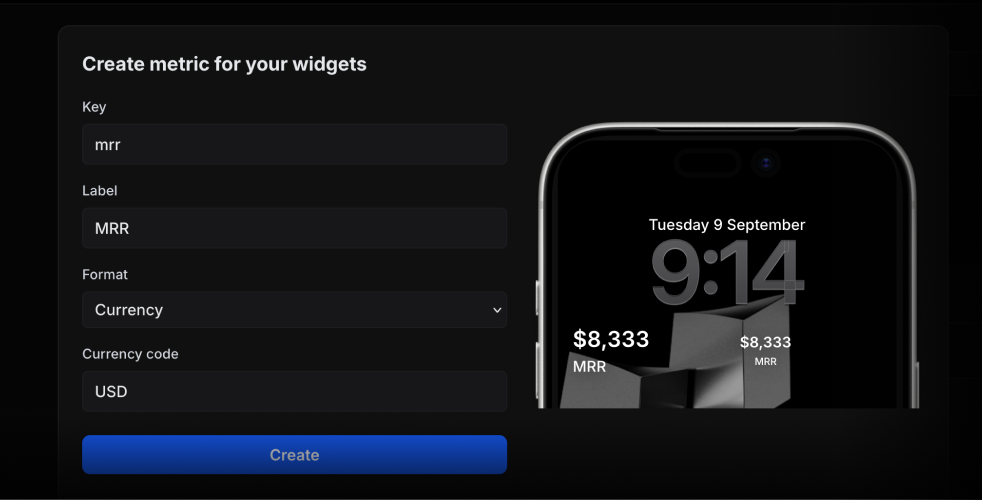
$activitysmith->metrics->update('deploy.success_rate', 99.9);String metric values work too.
$activitysmith->metrics->update('prod.status', 'healthy');try {
$activitysmith->notifications->send(
title: 'New subscription 💸',
);
} catch (Throwable $err) {
echo 'Request failed: ' . $err->getMessage() . PHP_EOL;
}- PHP 8.1+
MIT

![@activitysmith-sdk-bot[bot]](https://avatars.githubusercontent.com/in/3056560?s=64&v=4)