
Shower-stall screens for shared dorm bathrooms. Each stall has a small device that knows when someone is inside, shows live status to the whole floor on a website, and turns its screen and speaker into something worth looking at: synced lyrics, campus events, wellness and fun content.
🏆 Winner of the Environmental track at MakeCU 2026.
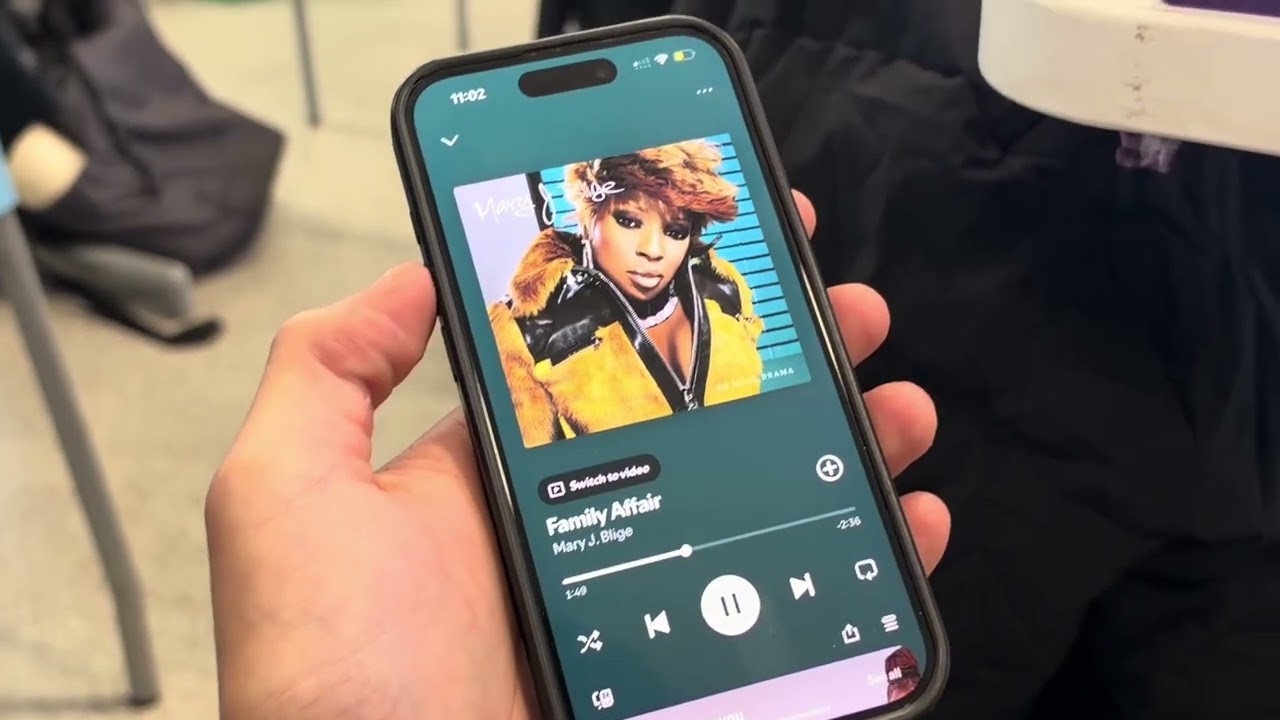
Watch the 3-minute demo on YouTube: https://www.youtube.com/watch?v=OZj-qjhfW3w
- Live status: each stall reports FREE / OCCUPIED to the website in real time.
- The line: join the line for the next free shower. When a stall frees up, the next person's phone says "Shower 2 is yours" and they have 2 minutes to claim it.
- Busy hours: the website shows when the showers are usually free and estimates the wait.
- Notify: a student who is waiting taps Notify on the website. The stall with the longest current session gets a pop-up on its screen (real stalls before simulated ones). The person inside holds a hand up in front of the sensor to acknowledge, and the waiting student sees that they were notified.
- Rush-hour heads-up: an opt-in push notification when the showers are about to get busy and a stall is free right now.
- Report a problem: report no hot water, a clogged drain or a broken light from the website. The stall's screen shows the report until an RA resolves it.
- Event extras: a "free food tonight" filter and an add-to-calendar button on every campus event.
- Ask the board: a chat box on the website, powered by the Gemini API, that answers questions like "When should I shower before my 9 a.m.?" or "Is anything free right now?" from live data.
- Room speaker with synced lyrics: music plays in the shower room and every screen in the room shows the same lyric line in sync.
- Content cards: campus events, wellness, and fun modules (trivia, floor story, karaoke duets, and more). See docs/USE_CASES.md.
What the demo stall (Stall 1) runs on:
| Part | Role |
|---|---|
| Raspberry Pi 4 Model B (Raspberry Pi OS, Debian 13) | Runs the device agent and the screen (Chromium kiosk) |
| HLK-LD2410C 24 GHz mmWave radar, on the Pi's UART | Presence in the stall, including someone standing still; the hand-hold that answers a Hurry; hand gestures for the music (pause, skip) and for choosing a shower goal |
| HCTG070V 7" display, 800 × 480, no touch | The stall screen |
| Bluetooth speaker | Music: it pairs with the showering person's phone, whose Spotify app plays; the Pi follows along for synced lyrics and gestures |
| Power bank (USB-C) | Powers the Pi, which powers the radar |
Radar wiring (no voltage divider; its UART is 3.3 V): VCC → 5V (pin 4), GND → GND (pin 14),
TX → GPIO15 (pin 10), RX → GPIO14 (pin 8). The Pi's own Bluetooth is turned off so the radar can
use the UART (dtoverlay=disable-bt), which is why the speaker pairs with the phone, not the Pi.
Details, calibration and tuning: device/README.md.
The HC-SR04 ultrasonic distance sensor, the original presence sensor, is still supported
(PRESENCE_SENSOR=ultrasonic, or alongside the radar for the hand-hold), but the demo stall has
it unplugged (ULTRASONIC=off).
No cameras and no microphones anywhere in the bathroom.
 Stall Pi / simulator ── HTTPS ──► Vercel: website + /api (FastAPI) ── SQL ──► Tiger Data
                                          │                                     (data and rules)
                                          ▼ broadcast (from Tiger's outbox)
 Stall screens, phones, RAs ◄── WebSockets ── Supabase Realtime
                                          ▲
                        Supabase Cron ────┘ every 10 s: /api/tick
The rules (who gets Notify, who's next in line) are SQL functions in Tiger. The API is a thin Vercel Function; Supabase Realtime carries live updates to screens and phones. Details: docs/BACKEND_PLAN.md.
api/       Vercel entry point for the API                                  (built)
backend/   FastAPI app: device events, the line, Notify, tick              (built)
tiger/     Tiger Data migrations and the migration runner                  (built)
supabase/  Supabase migrations: Realtime access policies, the tick job     (built)
web/       Student website (Vite + React), deployed to Vercel              (built)
sim/       One-shot device script: play a stall's Pi from the laptop       (built)
scripts/   Room setup: a device token per stall                            (built)
tests/     Rule tests (SQL) and API tests, against local TimescaleDB       (built)
device/    Stall agent for the Pi (LD2410C radar or HC-SR04, API, Realtime) and the stall screen (built)
content/   Content workers: campus events, wellness, fun modules, moderation
audio/     Room audio host: MPD, Snapcast, now-playing publisher, lyrics cache
infra/     Pi install script and systemd units                             (built)
docs/      Use cases, backend plan, sponsor ideas
| Service | Role in NextUp |
|---|---|
| Tiger Data | Main database and the rules: stalls, the line, Notify, sessions as hypertables, busy hours as a continuous aggregate |
| Vercel | The website and the API (FastAPI on Vercel Functions) |
| Supabase | Realtime (live updates over WebSockets), anonymous sign-in for phones, Cron for the 10 s tick |
| Gemini API | Ask the board: answers students' questions by calling NextUp's own APIs (status, busy hours, events, now playing) |
| GoDaddy Registry | The website's .us domain |
The backend and the website are live at https://nextup-khaki.vercel.app, on the team's Tiger schema. Stall 1 is the real stall; Stalls 2 to 5 are moved by the SQL simulator on every tick. The device agent, the kiosk and the content are next; see PLAN.md.
The Pi runs the stall agent in device/: it reads the LD2410C radar (or an HC-SR04), sends events to the API and drives the stall screen at http://localhost:8080.
Wire the radar first (see above), with the Pi powered off, and turn the Pi's Bluetooth off so the
UART is free (enable_uart=1 and dtoverlay=disable-bt in /boot/firmware/config.txt; see
device/README.md). Then, on the Pi over SSH:
git clone https://github.com/goraxyy/nextup.git ~/nextup && cd ~/nextup   # or: git pull
./infra/pi/install.sh                                     # venv, systemd unit, /etc/nextup/agent.env
sudo nano /etc/nextup/agent.env                           # paste the output of scripts/pi_env.py s1,
                                                          # plus PRESENCE_SENSOR=ld2410c, ULTRASONIC=off,
                                                          # RADAR_GATE_CM=20
sudo systemctl restart nextup-agent
.venv-pi/bin/python -m device.nextup_agent.calibrate --radar-auto   # stall empty for 20 s
journalctl -u nextup-agent -f                             # watch it (Ctrl-C to stop)
Mount the radar where it faces the shower area, with nothing moving within about 1.6 m of it
except the person showering, and calibrate again whenever it or anything near it moves. Point
the Pi's Chromium kiosk at http://localhost:8080 (or enable nextup-kiosk.service). With an
HC-SR04 instead, wire TRIG → GPIO23 and ECHO → GPIO24 through a voltage divider and run
calibrate without --radar (agent stopped). To update:
cd ~/nextup && git pull && ./infra/pi/install.sh && sudo systemctl restart nextup-agent.
docker compose up -d db                                   # TimescaleDB, same as Tiger
uv venv --python 3.12 .venv && uv pip install -r requirements-dev.txt
vercel env pull .env.local                                # Supabase keys and secrets
export DATABASE_URL=postgresql://postgres:nextup@localhost:5433/nextup
.venv/bin/python tiger/migrate.py                         # apply the migrations
.venv/bin/python scripts/setup_room.py                   # device tokens for room r1
.venv/bin/pytest                                          # rule and API tests
Then, in separate terminals:
set -a; . ./.env.local; set +a; .venv/bin/uvicorn backend.app:app --port 8000
npm run dev --prefix web                                  # http://localhost:5173
.venv/bin/python sim/device.py s1 start                   # play the real stall without the Pi
Locally nothing calls the tick, so the simulator and timers stay still. To run them:
while true; do curl -s -X POST localhost:8000/api/tick -H "X-Cron-Secret: $(grep ^CRON_SECRET= .env.local | cut -d= -f2 | tr -d '\"')"; sleep 10; done