
Find related issues and pull requests before you start work. For humans and agents.



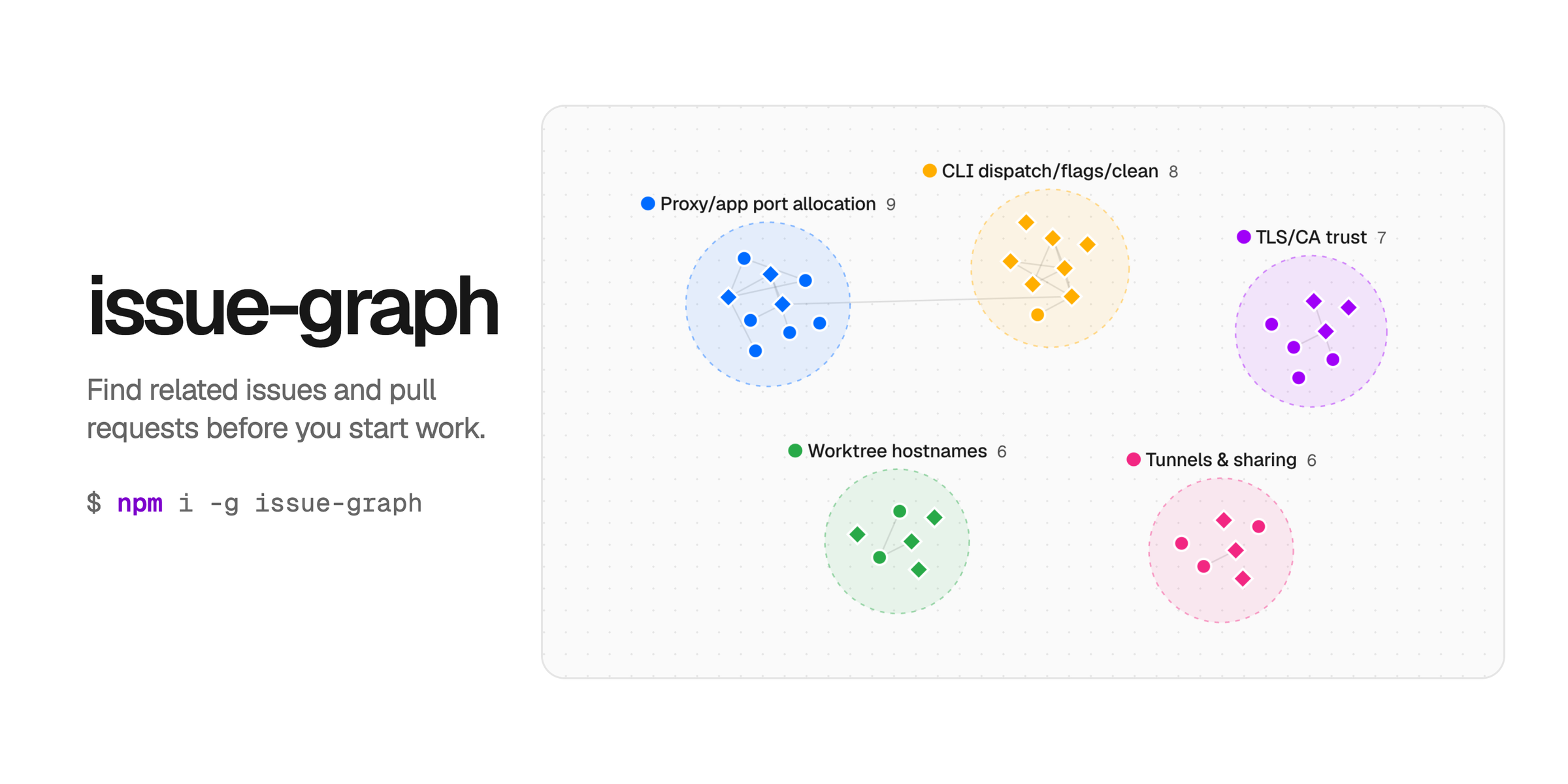
issue-graph reads GitHub issues and pull requests, or Linear issues, and follows the references between them: closing links, mentions, cross-references, and Linear relations. It shows existing fixes, competing PRs, and open follow-ups as one graph, groups open work into clusters, and opens the result in a local dashboard. It only reads from GitHub and Linear.
Install the CLI with Node.js 20 or later:
npm install --global issue-graph@latestTo try it without installing, run npx issue-graph@latest --help. GitHub queries use your GitHub CLI login, so run gh auth login first if gh auth status shows no account.
From a GitHub repository checkout:
issue-graph
# -> captures open issues and PRs, then opens the dashboard
Pass a repository, or one or more items, to choose the scope:
issue-graph open vercel-labs/portless
issue-graph graph vercel-labs/agent-browser#1113 --depth 1
For Linear, connect once in the browser, then capture an issue neighborhood or a whole project:
issue-graph linear login
issue-graph linear ENG-123 --workspace your-workspace --open
issue-graph linear --project <project-uuid> --open
The full walkthrough is in Get started.
Each run starts from seeds, such as open issues, a label, or specific items, and follows references up to a depth and node budget you set. An item with many references is fetched but not expanded further. The report lists missing references, failed reads, and crawl limits, so you can see what the graph does not cover.
The dashboard groups items into connected components by default. Your agent can propose root-cause clusters instead: issue-graph cluster prints the task, and cluster --apply loads the answer. The dashboard has four views: Explore, Impact, Swarm, and Rank. Rank orders open work by Heat, a weighted score of discussion activity with weights you control.
Runs save locally under ~/.issue-graph/, and issue-graph dashboard shows every saved run with a project switcher. issue-graph query filters a saved capture from the CLI and returns a link to the exact dashboard view. See Dashboard.
Install the agent skill from this repository:
npx skills@latest add vercel-labs/issue-graphThe skill tells the agent to load the guidance bundled with the installed CLI, so the instructions match its version:
issue-graph skills get corePlan, query, reconcile, and status print JSON in a pipe, and issue-graph schema prints the command contract. See Agents.
Run issue-graph --help for the full list, or issue-graph <command> --help for one command.
| Group | Commands | Docs |
|---|---|---|
| Map work | open, graph, linear |
Graph, Linear |
| Prioritize | rank, cluster, reconcile, plan |
Backlog, Agents |
| Dashboard | dashboard, query, runs, config |
Dashboard |
| Pull requests | status |
Status |
| Setup | auth, schema, skills |
Reference |
Install the package as a dependency to use the graph core from your own code:
npm install issue-graph@latestThe core runs in any JavaScript runtime. Transports read GitHub through gh, or through fetch with a token. See Library.
Depth, node budgets, permissions, and API limits affect coverage. Check the linked code and current behavior before you close an issue or merge a PR.
Saved runs, HTML exports, and cluster prompts can contain private repository metadata, and anyone with an export can read the data embedded in it. See Security and vulnerability reporting.
This repository is a pnpm workspace. The CLI and library are in src/, the dashboard is apps/dashboard/, and the docs site is apps/docs/. Use Node.js 20.19.x or 22.12 and later with pnpm:
pnpm install --frozen-lockfile
pnpm build
pnpm check
pnpm test:package
Contributing covers setup, the docs and dashboard dev servers, and the release process. AGENTS.md lists what to update with each change.
- issue-graph.dev: get started, commands, dashboard, and Linear
- Changelog
Apache-2.0