Repository navigation
Conversation


vue-advanced-cropper reads an object defaultSize as image pixels, but the
upload tab derived it from the container width in screen pixels, so the
initial crop frame was tiny on any real photo or scan.

Pass the documented function form instead and fit the largest stencil that
matches the configured signature aspect ratio inside the loaded image.

Signed-off-by: no84by <50858621+no84by@users.noreply.github.com>

This was referenced Nov 18, 2026
Author
|
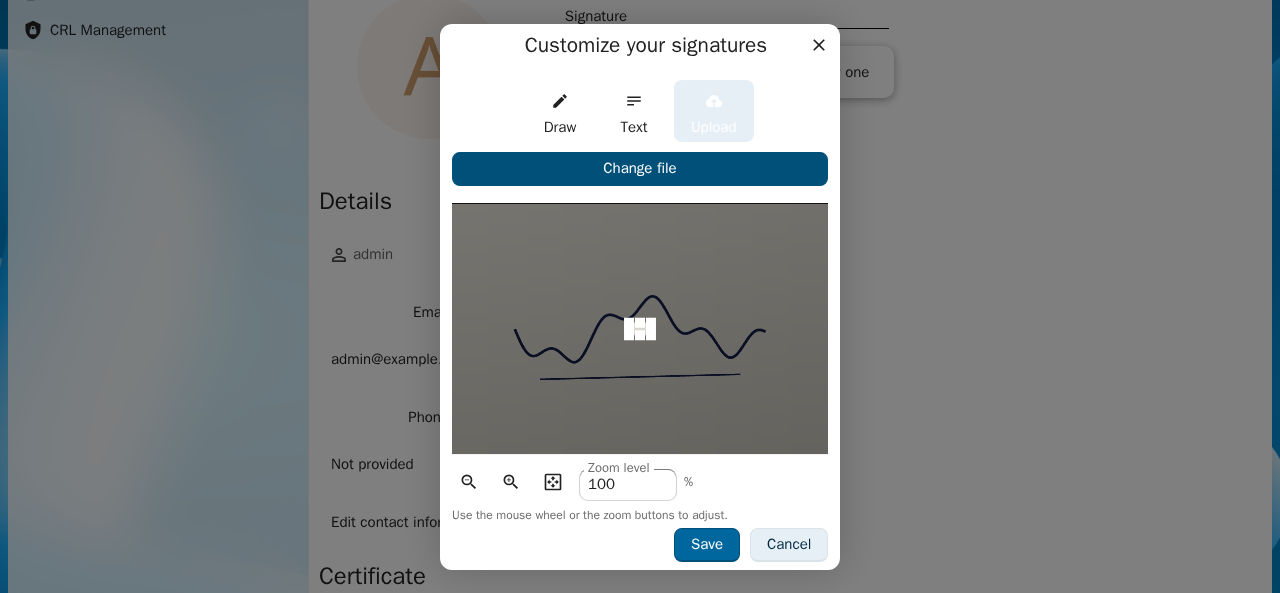
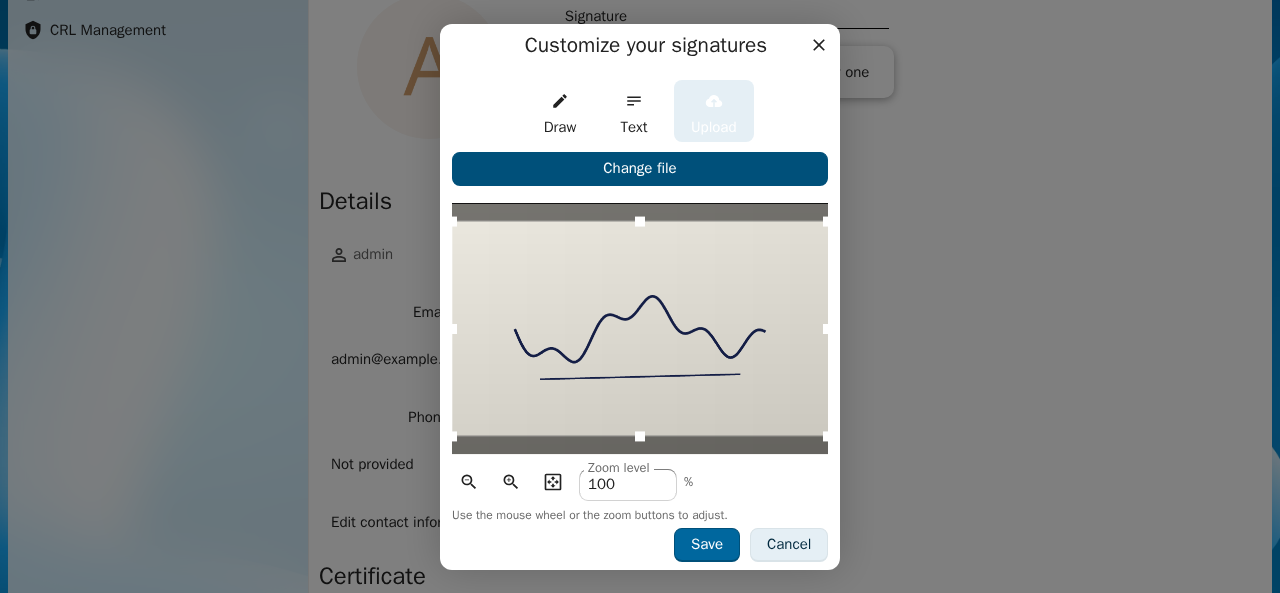
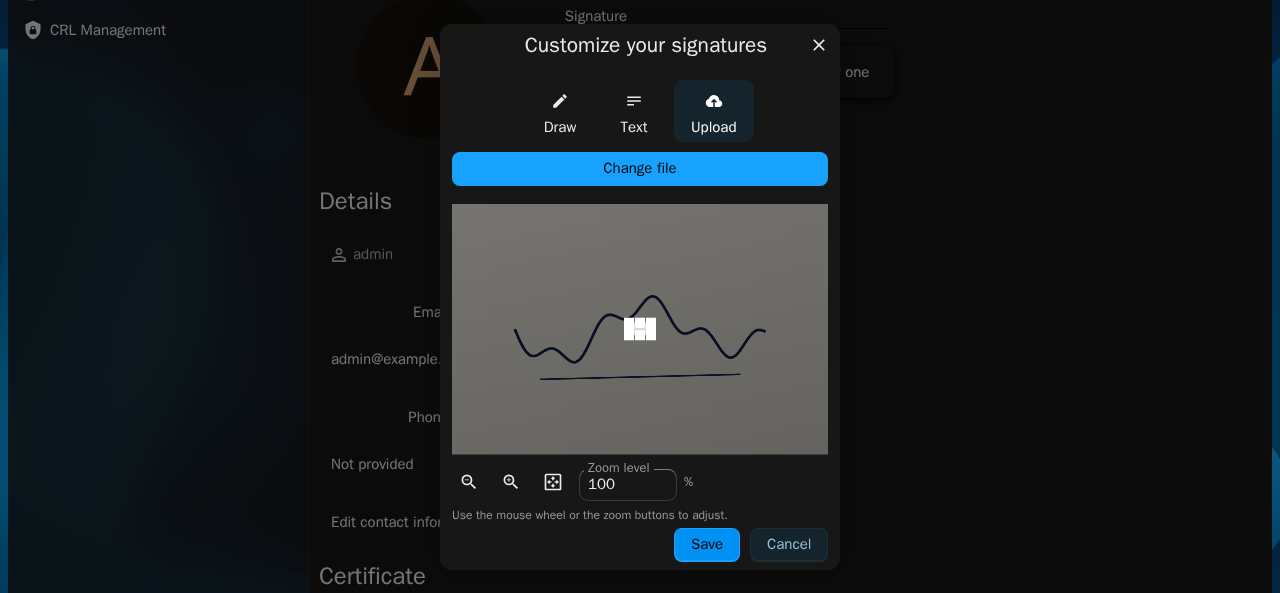
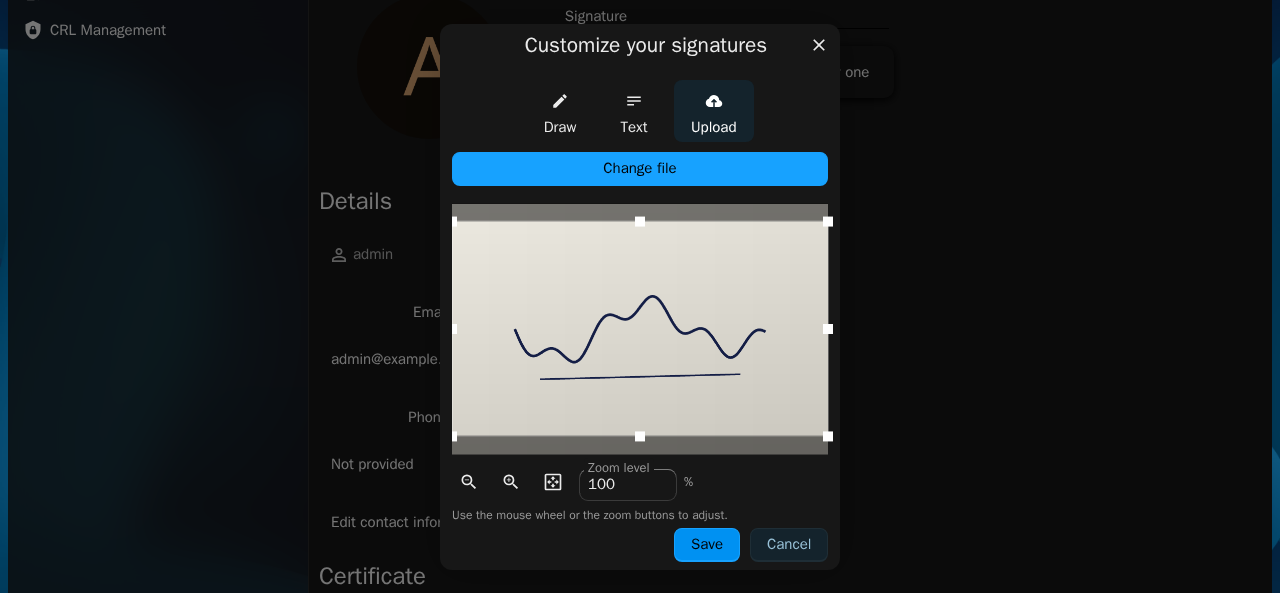
Screenshots (test instance on main 7a8403d vs this branch, light and dark theme): Upload tab with a 3000x2000 image: default crop frame
|
This branch has not been deployed
This file contains hidden or bidirectional Unicode text that may be interpreted or compiled differently than what appears below. To review, open the file in an editor that reveals hidden Unicode characters.
Learn more about bidirectional Unicode characters
Sign up for free
to join this conversation on GitHub.
Already have an account?
Sign in to comment

Add this suggestion to a batch that can be applied as a single commit.This suggestion is invalid because no changes were made to the code.Suggestions cannot be applied while the pull request is closed.Suggestions cannot be applied while viewing a subset of changes.Only one suggestion per line can be applied in a batch.Add this suggestion to a batch that can be applied as a single commit.Applying suggestions on deleted lines is not supported.You must change the existing code in this line in order to create a valid suggestion.Outdated suggestions cannot be applied.This suggestion has been applied or marked resolved.Suggestions cannot be applied from pending reviews.Suggestions cannot be applied on multi-line comments.Suggestions cannot be applied while the pull request is queued to merge.Suggestion cannot be applied right now. Please check back later.
Resolves: #9526
Part of #9048
Summary
In the signature dialog, tab "Upload", the cropper received
:default-sizeas an object computed from the container width (screen pixels).vue-advanced-cropperreads an objectdefaultSizeas image pixels, so on a real photo or scan the initial crop frame covered only a few percent of the image.The default size is now passed in the documented function form and computed from the loaded image: the largest stencil that fits the image at the configured signature aspect ratio. The aspect ratio behaviour is unchanged. When no signature size is configured, no
defaultSizeis passed and the library default applies. The calculation lives in a small pure helper,fitStencilToImage.How to test
Validation evidence
Ran:
vitest runfor the new helper spec andsrc/tests/components/Draw(79 tests passed),eslinton the changed files,vue-tsc --noEmit.UI / Front-end changes
Initial crop frame is computed in image pixels
Screenshots before/after added for user-visible changes
Tested in relevant browsers when applicable
Component/unit (Vitest) and/or E2E (Playwright) tests added or updated
Accessibility verified when applicable
Design review approved when applicable
Documentation updated when applicable
Checklist
AI (if applicable)